
Army Enterprise
Long Range Planning Application
UI/UX Designer, Prototyping, Design, Discovery and Delivery
Problem
The Army runs on long-range planning. Units coordinate training events, personnel movements, and readiness milestones months in advance. The application they used to do that was old, hard to learn, and required a lot of manual effort to keep current.
Moving one event on the calendar meant touching several others by hand. New users had almost no guidance. Most people learned the system from a colleague who had already figured it out through trial and error.
Research
I ran discovery sessions with planners at different echelons. We used sticky notes to walk through their workflows step by step. That exercise made the real problems visible quickly. Planners had built their own shadow systems, printed overlays, and personal checklists to fill the gaps the application left open.
After the interviews I looked at how other calendar tools handled similar problems. Dependency management, conflict detection, date navigation at scale. That research gave me a baseline for what good looked like before I started sketching anything.
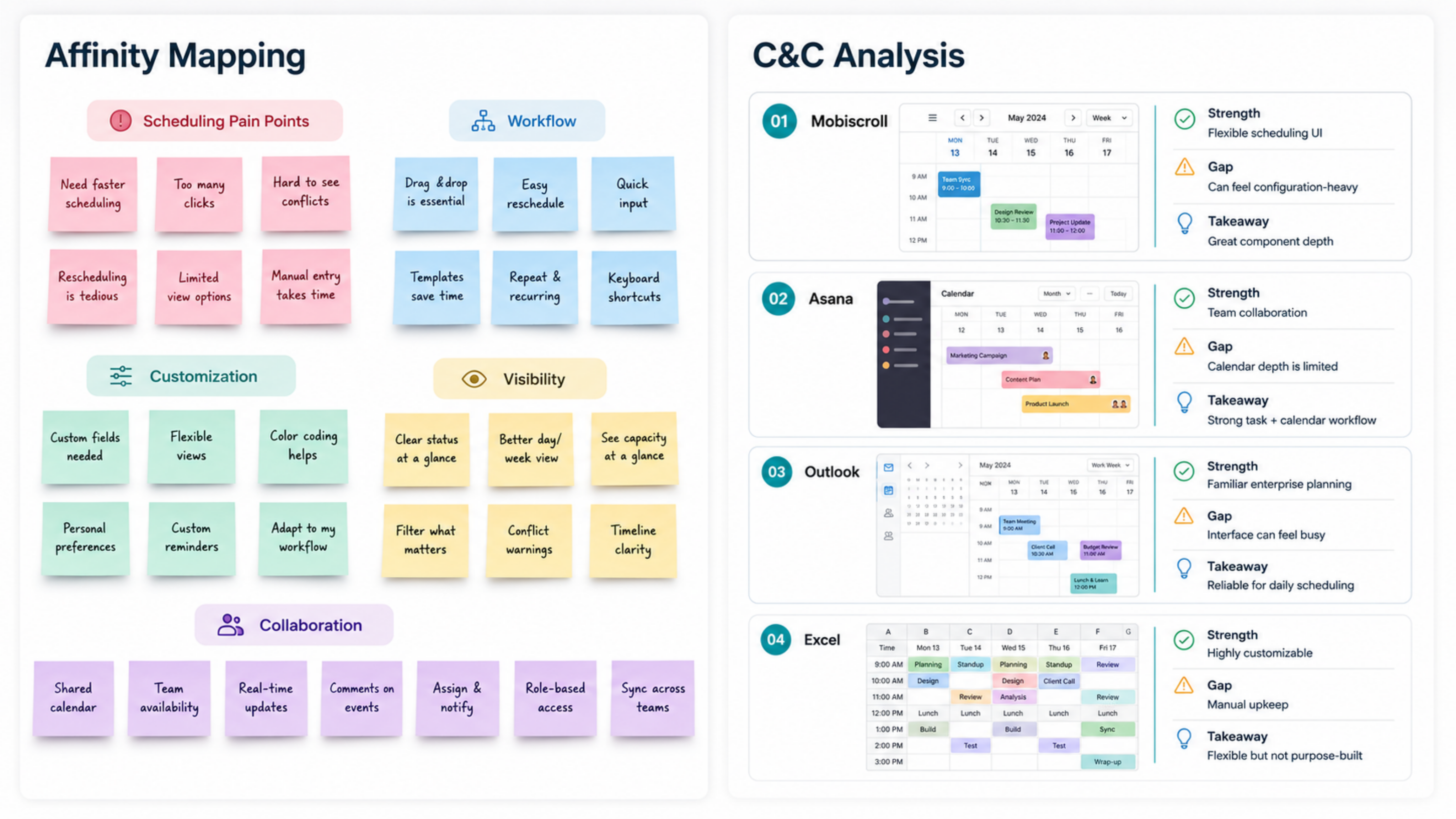
Competitive research on calendar tools
Design Process
The existing application was built on a legacy stack. Adding new features meant finding components that could integrate without a full rewrite. After reviewing options with the dev team, we landed on MUI for the core UI layer and Mobiscroll for calendar interactions. Both had solid accessibility support and could handle the complexity of multi-day, multi-dependency scheduling without requiring the team to build everything from scratch.
The calendar automation work came first. I designed a preview state that showed planners exactly what would change before they confirmed a move. The goal was to give people enough information to feel confident without overwhelming the screen.
Onboarding was a separate challenge. The application had years of accumulated complexity. Rather than simplify the whole thing, I focused on a first-run experience that helped new users find their footing in the five tasks they would need most. Experienced users could skip it entirely and nothing changed for them.
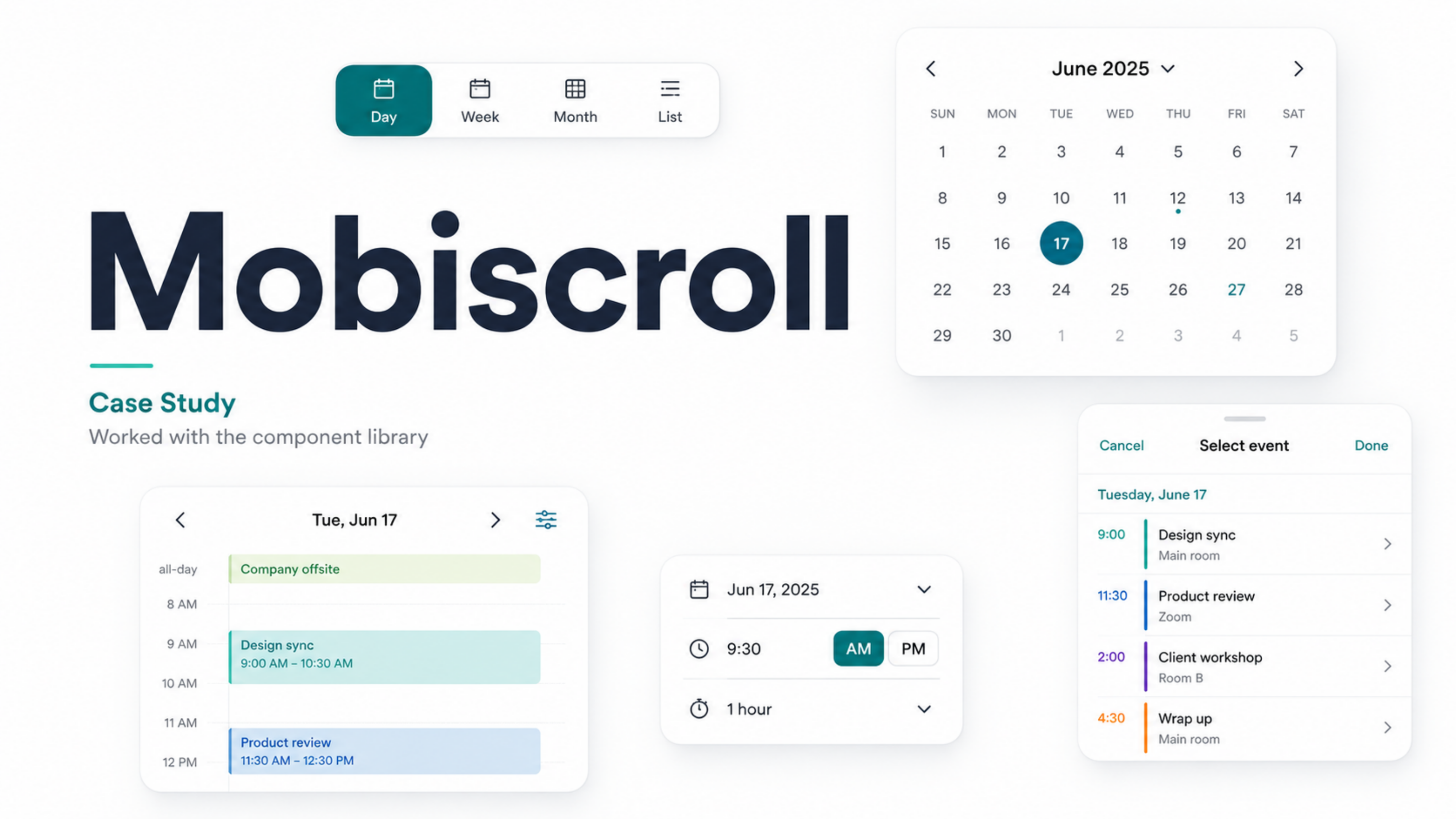
Mobiscroll calendar component library
Outcome
The features shipped to a user base of 200,000+ users. At that scale, every design decision had real consequences.
The automation work reduced the manual effort required to update a planning cycle. The onboarding experience gave new users a clear path in without needing to find someone to walk them through it. Both changes made the application more accessible to the people who depended on it every day.